
- Run Matcher5 as "Administrator".
- Press and hold "Ctrl" and click on top left corner of Matcher5 page:
- A new page will be shown to add the Server and Database information:
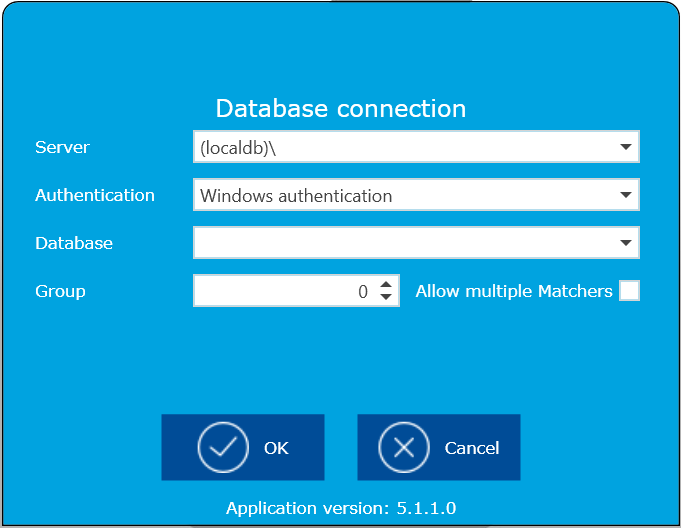
- Add the server name and SQL server name as "\\server\SQL_server_name"
- Select your preferred authentication mode:
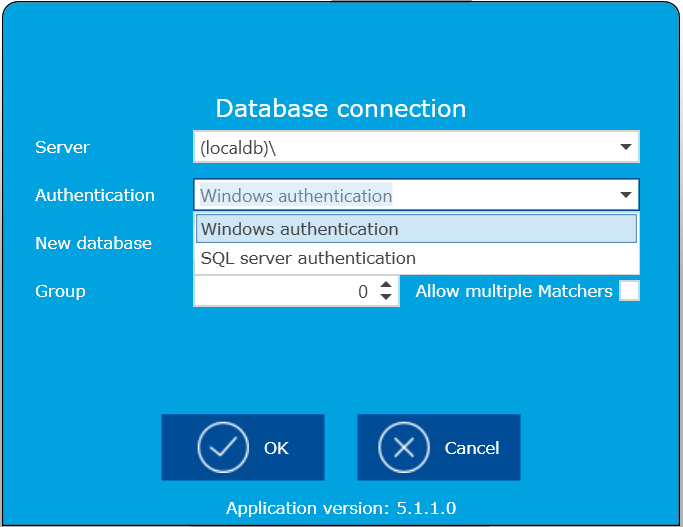
- In Database field, select existing database or add the new database name (For initial setup, must be selected SQL server authentication)
- then , click OK button.
Comments
0 comments
Article is closed for comments.