
TeamViewer is a separate software application which allows technicians/support staff/trainers to remotely access user computers to fix/install/troubleshoot any Matcher issues.
If a technician needs to access a computer, the user will be asked to load the TeamViewer software and provide a user ID and password to allow the connection. The TeamViewer icon will usually be located on the desktop of the computer:
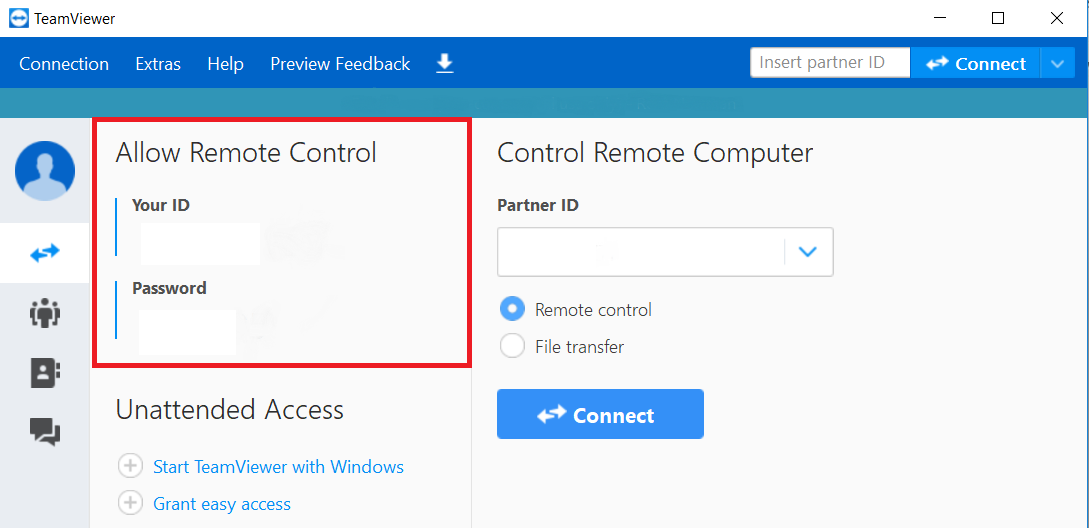
A typical TeamViewer screen will look similar to the below. The credentials required to allow a user to connect to the computer are highlighted in the red box:
Comments
0 comments
Article is closed for comments.