
This article will explain how to link a Windows account / group to a SQL Matcher database on the designated server.
We strongly recommend to create a Windows group to include the Matcher users from the Active Directory to ease and reduce the administration tasks.
First connect to the Windows Server console where the Matcher database is hosted.
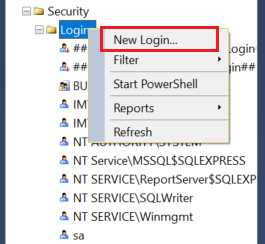
Open SQL server management console, expand "Security" folder and right-click on "Logins", then click on "New login":
On the Login - New page, select "User Mapping" at the right column then select "MatcherScheme" within the "user mapped...." box and select the database role "db_datawriter" in the right bottom box:
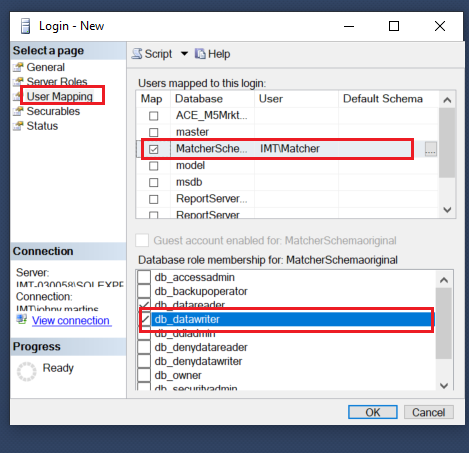
Click OK to save changes.
Comments
0 comments
Article is closed for comments.