
This article will guide to connect the V5.2.0 Pocket Matcher to Wi-Fi networks:
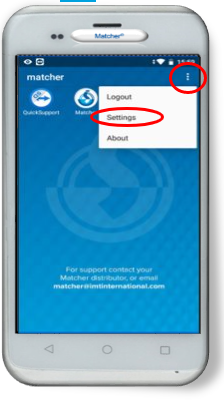
.- Turn on the Pocket Matcher and tick the option button on the left corner and select 'Settings' option:
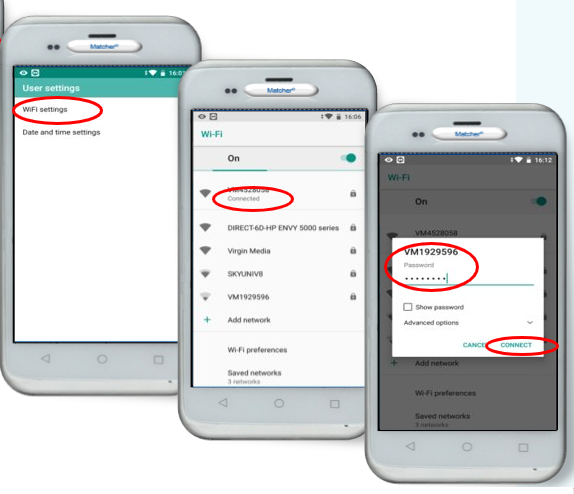
.- Select Wi-Fi Settings, select the wireless network to connect to and type the authentication password then click 'Connect':
.- Then click on the circle button  to return to the main screen.
Comments
0 comments
Article is closed for comments.