
How to print a test photo ID card from an Evolis Zenius printer
Running a printer self test is a central step to resolving many potential issues with an Evolis Zenius printer. Follow these steps to run a self test.
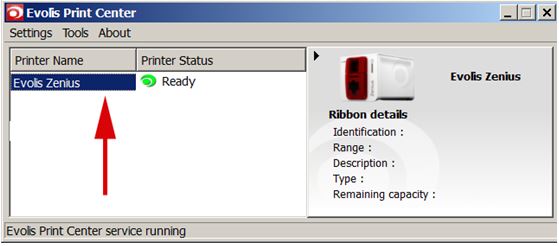
- Open the Evolis Print Center, Double Click on the Zenius printer.
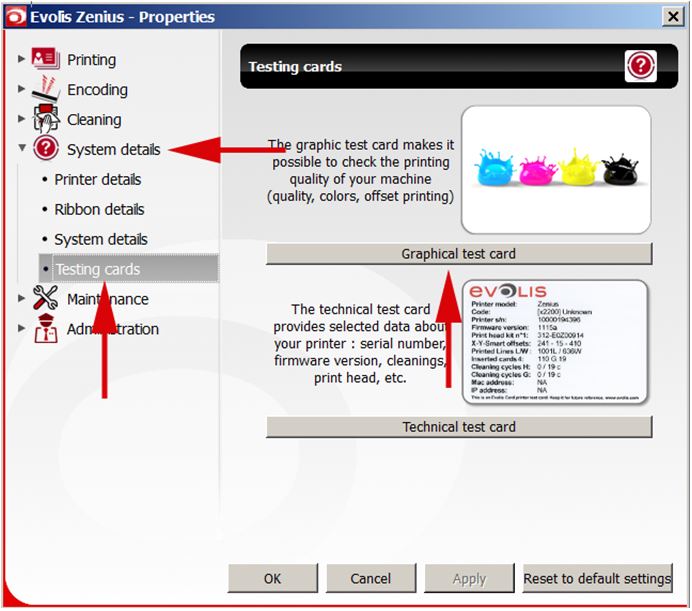
- Select the 'System details' tab.
- Select on the 'Testing cards' tab.
- Select the 'Graphical test card' button.
Comments
0 comments
Article is closed for comments.