
Equipment provided:
- 1xHP AC power adaptor USB C connector for Tablet
- 1x USB 3.0 to LAN\USB 3.0 with 3 port adaptor
- 1xMatcher IVF Benchtop
- 1xMatcher IVF Benchtop AC Power adaptor
- 1x silicon mat the Matcher Benchtop is placed on top of
- 1x USB A to B lead (30cm) connect Matcher unit to tablet.
- 1x Kettle power lead 2pin EU plug
- 1x Clover leaf power 2pin lead EU plug
- 1x Honeywell Dolphin 70e Pocket Matcher
- 1x Honeywell AC adaptor for Pocket Matcher EU connector included
- 1x USB cable to connect to AC adaptor and data transfer to tablet.
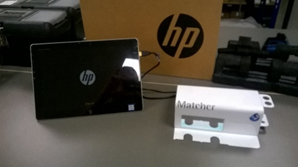 |
The main components of this installation are 1x Matcher IVF Benchtop
Guide below describes attaching the device to a PC (or tablet shown in picture) |
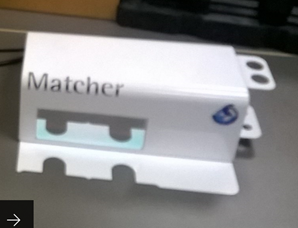 |
Matcher IVF Benchtop device
|
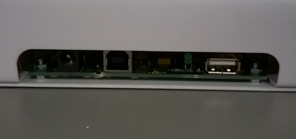 |
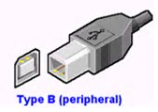
There are 2 outputs for the Matcher IVF benchtop. · Female USB-B connector · Female 2.1mm Barrel connector for power. |
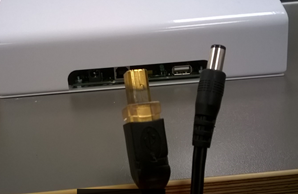 |
Cable connectors · Male USB-B connector · Male 2.1mm Barrel connector for power.
|
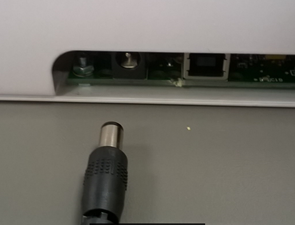 |
Take the male 2.1mm barrel power connector and insert into the Female output. |
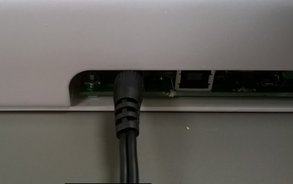 |
Connecting to the power outlet is described later in the guide. |
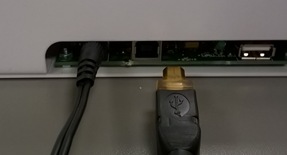 |
Take the Male USB-B connector and insert into the Female output.
The connector will only go in one way.
|
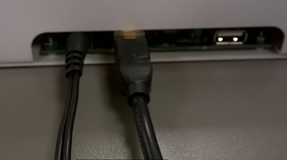 |
The connectors should be a tight fit. |
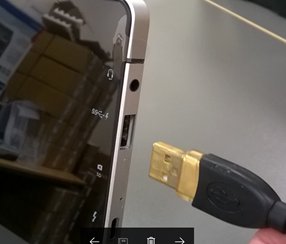 |
Connecting the Matcher IVF Benchtop to a PC.
Connect using a USB port in the PC. |
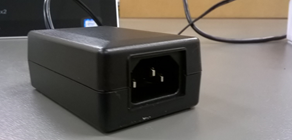 |
Powering the Equipment
AC power adaptor uses a kettle type power lead, provided. |
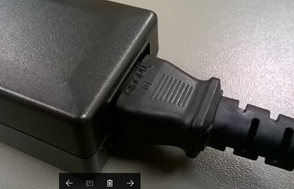 |
Push the Kettle lead connector into the AC adaptor.
*Note* Kettle leads connectors can only fit in one way. |
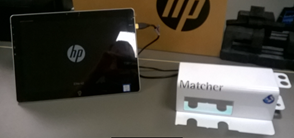 |
The devices are connected, please remove any protective materials from the Benchtop and the Tablet. · Matcher IVF Benchtop has backing paper to protect the branding in transit.
|
|
|
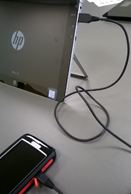
Pocket Matcher Connect the Pocket Matcher using the USB data cable.
|

Comments
0 comments
Article is closed for comments.