
|
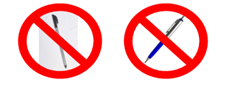
Please note that you are not able to use a hard-tipped stylus, pen or other hard object on the touchscreen |
 |
|
It is recommended that you only use your fingertips or a rubber-tipped capacitive stylus on the screen The touchscreen works with and without surgical gloves |
 |
|
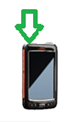
Power on: Press the silver button on the top of your device, after 2-3 seconds your screen will power up |
 |
|
Connect to WiFi: Ensure that your Pocket Matcher is connected to your WiFi network You will see the WiFi icon displayed next to the power icon on screen, if it is connected at least one bar will be green. If the signal strength is good then more bars will be green The connection will 'authenticate', as part of the security measures in place. Once it has successfully authenticated the circle icon next to the WiFi icon will also be green If the circle is grey please contact support |
|
|
Launch Windows: Press the ‘Windows’ button in the bottom left corner of your Pocket Matcher screen |
 |
|
Launch Pocket Matcher application: Click the Matcher icon |
|




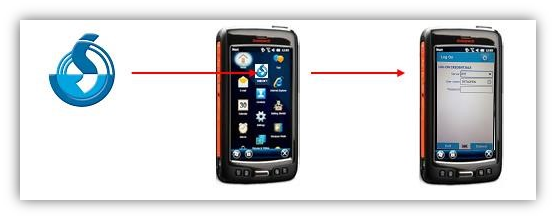
To logoff select the blue 'Logoff' button at the bottom of the screen. Or select the blue 'Exit' button to close the Pocket Matcher application
Comments
0 comments
Article is closed for comments.